What your apps did this week, in plain language.
Which apps used your camera, microphone and location, how often, and which advertising and analytics services they talked to. Read from your iPhone's own App Privacy Report, on your iPhone.
iOS keeps the record. Permissify explains it.
iOS doesn't let one app look at another, so no iPhone app can read your other apps' permissions directly. What iOS does keep is App Privacy Report: a log of what each app used and contacted. Permissify reads the copy you share with it.
1. Turn the report on
Settings → Privacy & Security → App Privacy Report. Then use your phone as usual for a few days. iOS keeps the last seven.
2. Share it
Tap the Share button at the top of the report and choose Permissify, or save it to Files and import it.
3. Read it
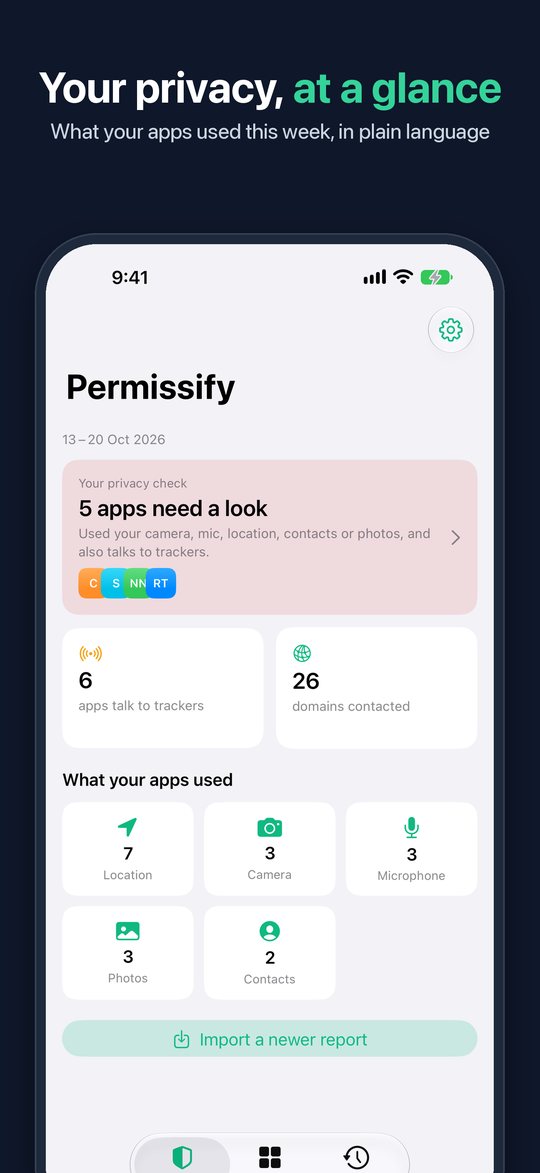
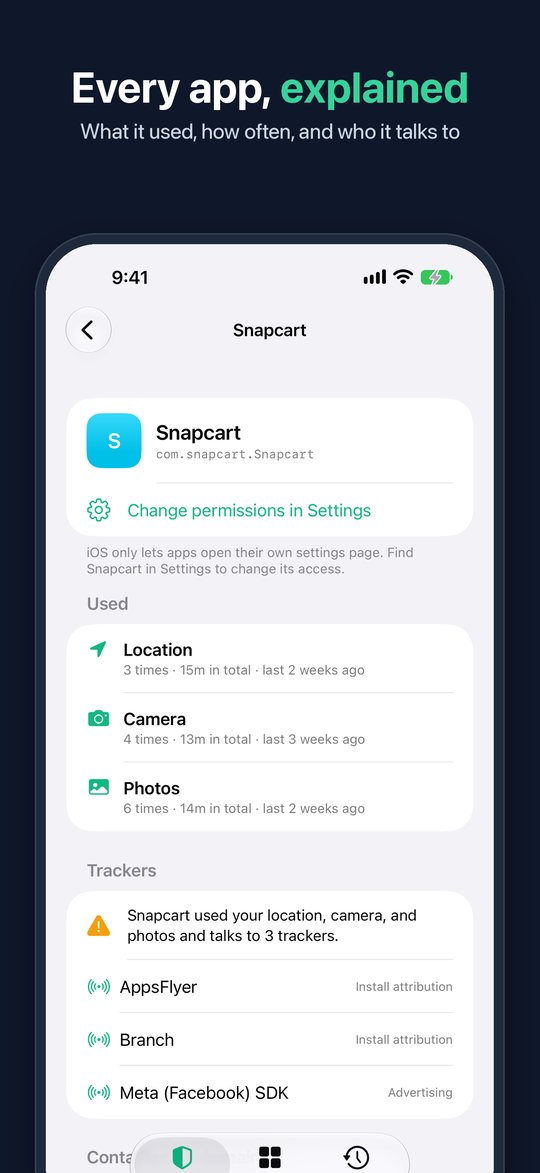
Permissify shows what each app used, how often, when last, and every domain it contacted.
Want to look first? "Explore with a sample report" in the app shows every screen with a made-up phone.
The apps that need a look, first
What your apps used
Camera, microphone, location, contacts, photos and screen recording: which apps, how many times, and when last.
Apps that need a look
Apps that used something sensitive and also contacted a known ad or analytics service.
Every domain contacted
Each app's network activity, with counts, as iOS recorded it.
Changes between reports
Import a new report each week and see what started: "started using the microphone", "started contacting a new analytics service".
Who's tracking me PRO
Which ad, analytics and attribution services each app talks to, and a tracker map across all your apps.
Every report kept PRO
The free app keeps your last two reports. Pro keeps them all.
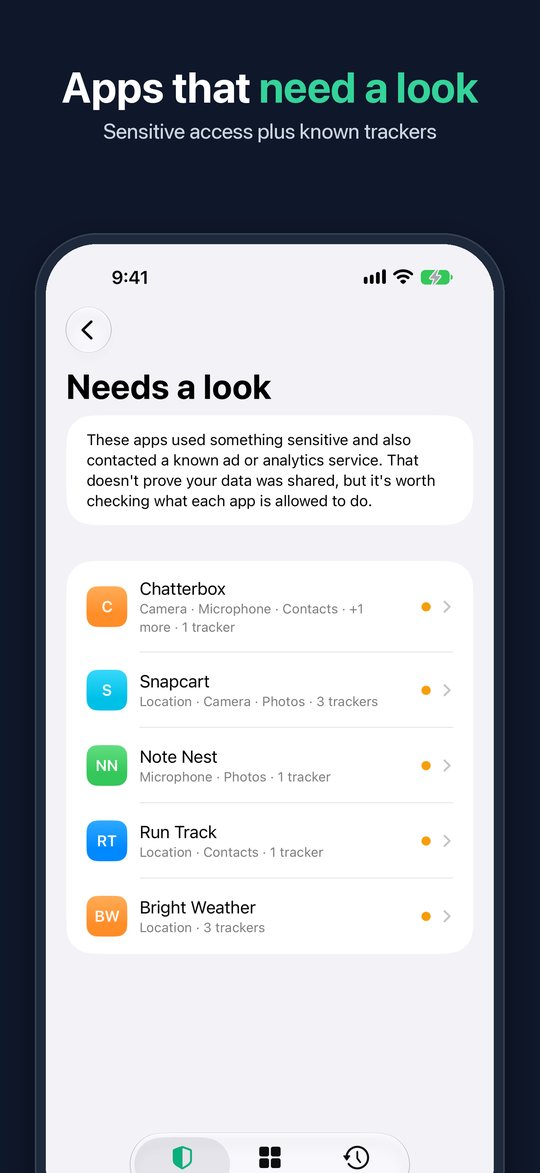
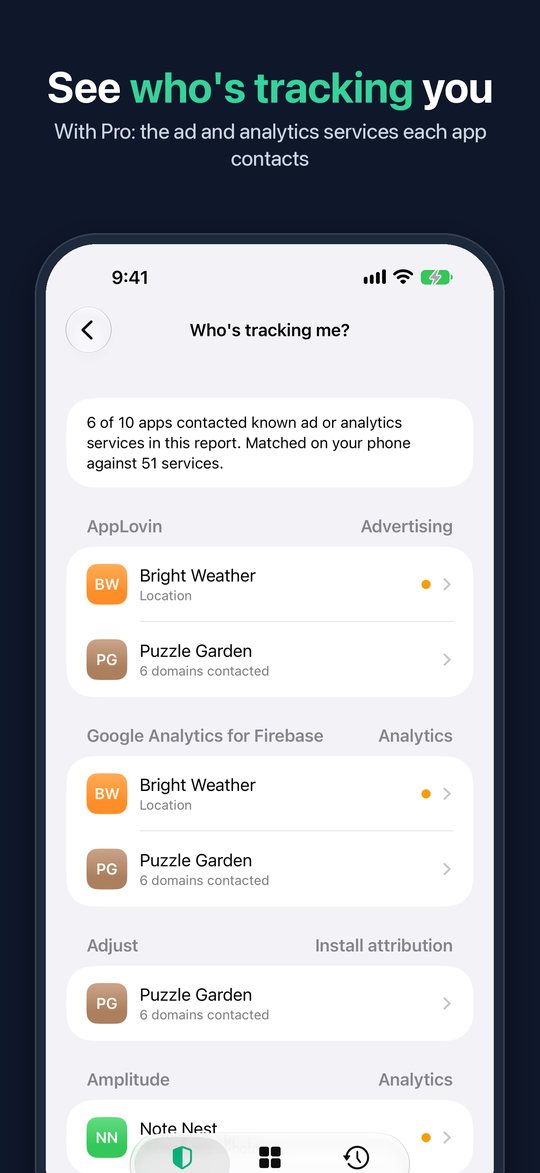
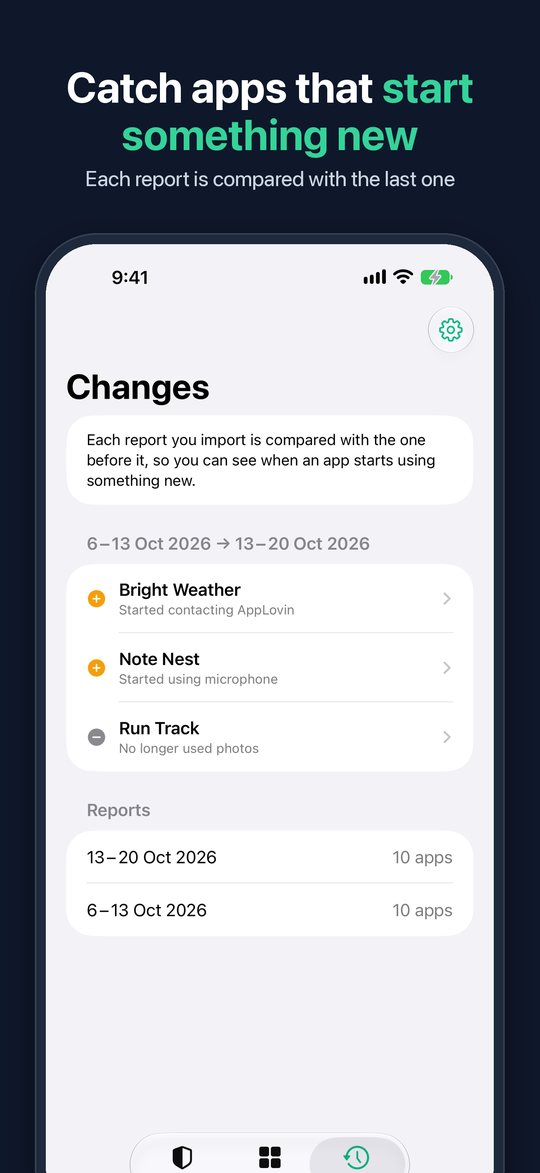
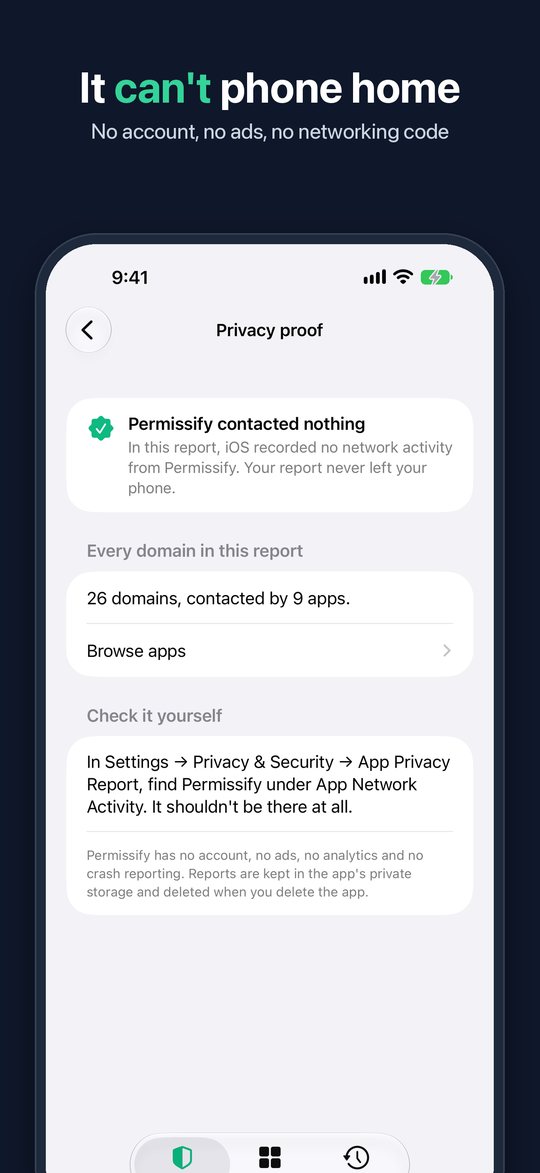
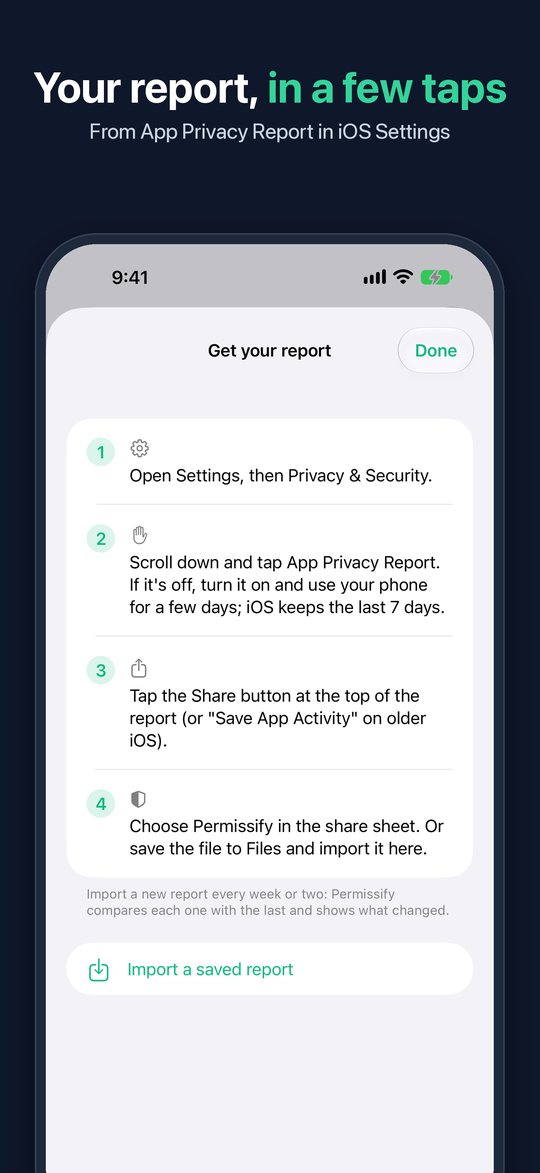
Every app in these screenshots is made up, from the sample report.
It can't phone home, and you can check
No networking code
The app contains no networking code, no analytics, no ads and no third-party SDKs.
Check it yourself
Permissify appears in your own App Privacy Report like any other app. Its entry shows it contacted nothing.
No permissions
It asks for no camera, microphone, location, photos or notification access. The report arrives through the share sheet.
Check it yourself on iPhone
The built-in settings, step by step, and where they stop.
- App Privacy Report: what it is and how to turn it onThe seven-day record iOS keeps of what your apps used and contacted.
- See which apps used your camera or microphoneThe dots, Control Centre and App Privacy Report, from now back to seven days ago.
- Which apps are tracking youWhat "Ask App Not to Track" stops, what it doesn't, and how to see who your apps contact.